macOS App
Menu Volume
Control Mac and Music volumes separately and independently from one convenient menu bar location.
Download on the App StoreRequires macOS 10.15 or later
Why this exists
macOS gives you one volume slider. Music needs its own.
The volume control in the macOS menu bar is a single master level. Turn it down because a video call is loud and the music you were listening to goes quiet with it. Turn it up for the music and the next notification arrives at the same volume.
Apple Music keeps its own internal volume, separate from the system level, but reaching it means leaving whatever you were doing, switching to the Music app, and finding the slider there. There is no way to see both levels at once, and no way to change one without hunting for it.
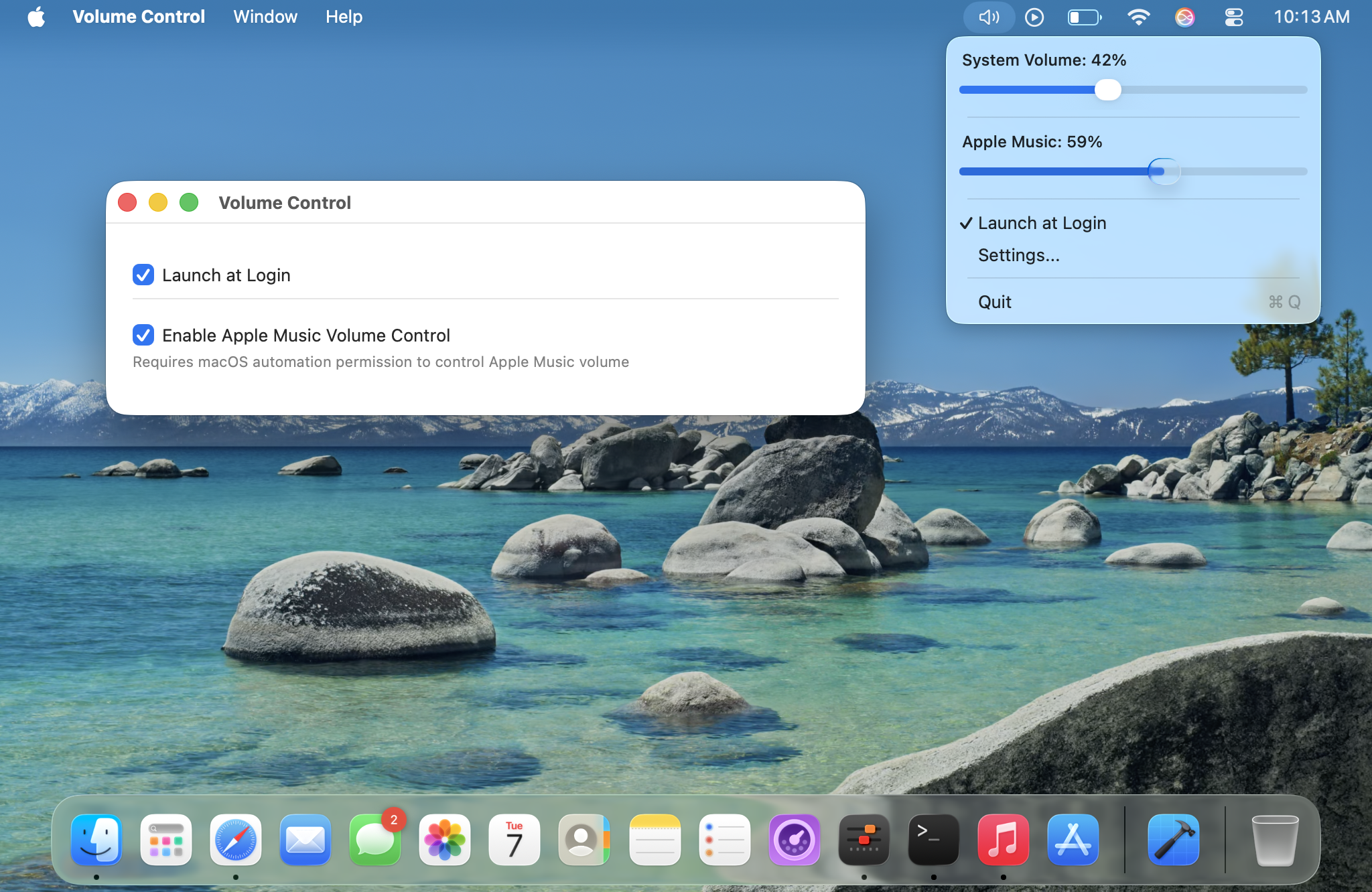
Menu Volume puts both in the menu bar as two sliders you can see at a glance. Drop the system level for a call without touching the music. Turn the music down without muting your notifications. Neither one moves unless you move it.
Features
System volume, instantly
Smooth, responsive slider in your menu bar. No clicking through menus.
Apple Music volume, separate
A second slider just for Apple Music — not available in the stock menu. Adjust independently from Mac volume.
Launch at login
Set it and forget it. Starts automatically with your Mac.
Interface
Easy Configuration
Simple settings let you enable Apple Music integration and launch at login. Everything works right out of the box.
Independent Control
Separate sliders for system and Apple Music volume give you precise control over each audio source.
vs. the stock menu
Separate Music volume
The stock menu only controls overall Mac volume. Menu Volume gives you a second slider just for Apple Music.
Always visible sliders
See both volume levels at a glance. The stock menu hides the slider until you click.
Designed for music listeners
Control both volumes separately — adjust either one without affecting the other.
Permissions
When you first use Music controls, macOS asks to let Menu Volume control Apple Music. We only request access to Music — nothing else.
Questions
Can I control system and Apple Music volume separately?
Yes. Separate sliders let you adjust either one independently.
Does it affect performance or battery?
No. Runs quietly in the background with negligible impact.
Does it support Spotify?
Not yet. Planned.
Does it change other apps' volumes individually?
No — only Music has its own slider; everything else follows your Mac volume.
What data does the app collect?
None. Everything runs locally on your Mac.
Can macOS do this on its own?
Not from the menu bar. macOS exposes one master volume; Apple Music's own level lives inside the Music app. Menu Volume surfaces both in one place.
Does it work with AirPods and Bluetooth speakers?
Yes. It controls the system output level, whichever device that output is currently routed to.
Is there a subscription?
No. One purchase on the Mac App Store, and it's yours.
System and Music volume, independently, from your menu bar.
Download on the App StoreRequires macOS 10.15 or later