macOS App
MIDI Volume Control
Control your Mac's system and music volume independently with any MIDI controller — and a handy menu bar icon.
Download on the App StoreRequires macOS 10.15 or later
Why this exists
A real knob for your Mac's volume.
Adjusting volume on a Mac means reaching for a function key or clicking into the menu bar. Both work, and both pull your hands off whatever you were doing. Neither gives you the fine control of turning something.
If there is already a MIDI controller on your desk — a keyboard, a pad controller, a single fader box — it has knobs sitting unused whenever you are not making music. MIDI Volume Control maps one of them to your Mac's output level, so volume becomes a thing you turn rather than a thing you click.
Setup is MIDI Learn: move the control you want, and it is assigned. No CC numbers to look up, no per-device configuration. System volume and Apple Music keep independent levels, so separate controls can drive each.
Features
System Volume Control
Instant control of your Mac's system volume using any MIDI controller. Real-time response with perfect integration.
Independent Music Control
Control Apple Music volume separately from system volume. Balance your music with Discord, Zoom, or any other audio source independently.
MIDI Learn
Automatic controller mapping makes setup effortless. Just click MIDI Learn and move your controller.
Interface
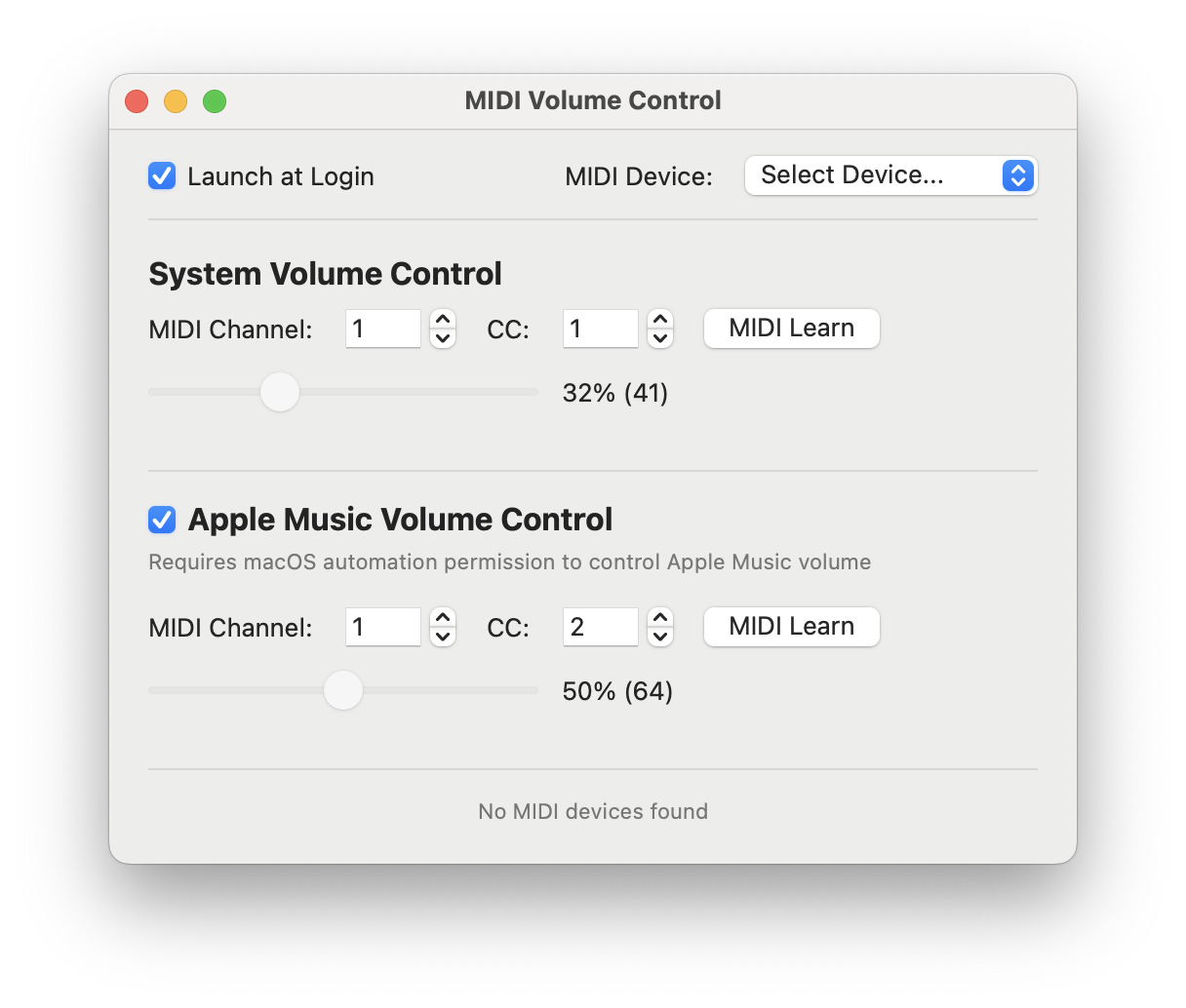
Easy Configuration
Simple settings window with MIDI Learn makes setup effortless. Choose your controller, enable Apple Music integration, and you're ready to go.
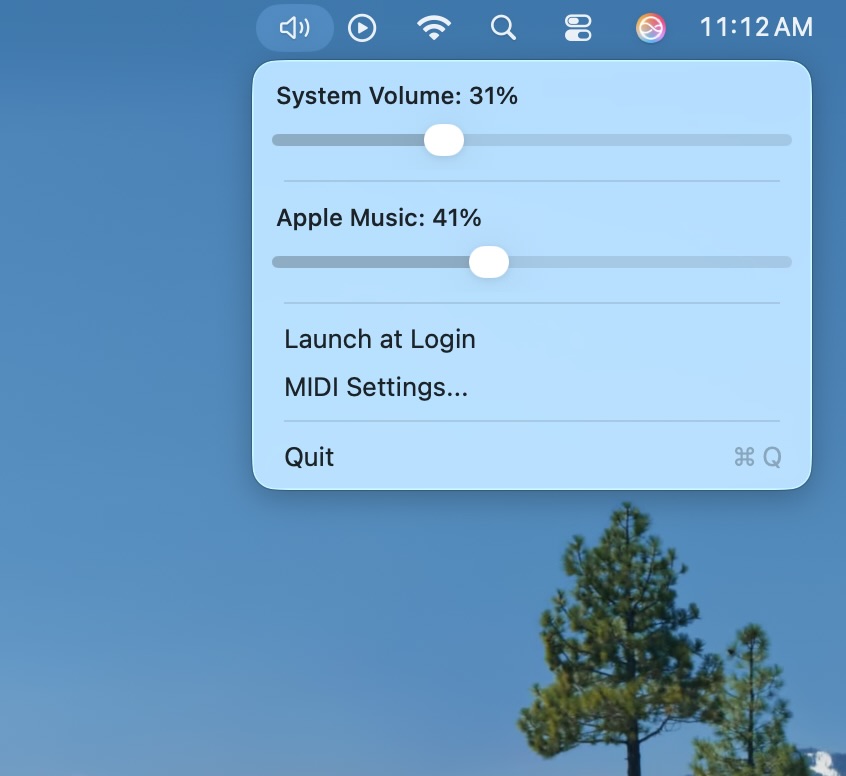
Menu Bar Control
Live volume sliders in your menu bar show current levels and provide quick manual control when needed.
Also
Menu Bar Access
Live volume sliders for both system and music volume right in your menu bar.
Lightweight
Negligible battery impact with minimal system permissions. Runs quietly in the background.
Launch at Login
Automatically start with your Mac for seamless volume control whenever you need it.
Hot-plug Support
Automatic MIDI device detection when you connect or disconnect controllers.
Questions
Do I need a MIDI controller?
No. You can use the menu bar interface to adjust both system and Apple Music volume manually without any MIDI hardware.
How do I set up my MIDI controller?
Connect your MIDI controller, open settings, click "MIDI Learn" next to the control you want to map, then move the knob, fader, or button on your controller.
Can I control system and Apple Music volume separately?
Yes. You can map different MIDI controls to system volume and Apple Music volume, allowing you to balance your music with other audio sources independently.
Which MIDI controllers are compatible?
Any MIDI controller that sends standard MIDI CC messages — Akai MPK, Novation Launchkey, Arturia KeyLab, and many others.
Does it affect performance or battery?
No. It runs quietly in the background with negligible impact on performance or battery life.
What happens if I disconnect my controller?
The menu bar interface continues to work. When you reconnect, your mappings are automatically restored.
Turn any MIDI controller into a volume control for your Mac.
Download on the App StoreRequires macOS 10.15 or later